
Write-on Video Ultimate5.5.1 - App Store
You'll be able to see results in few seconds.
Publisher Description
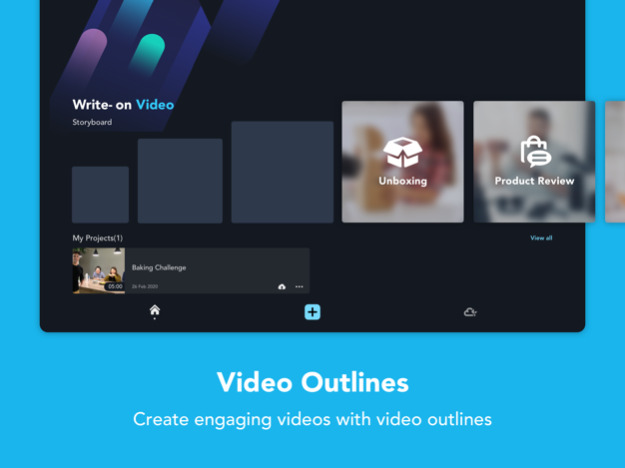
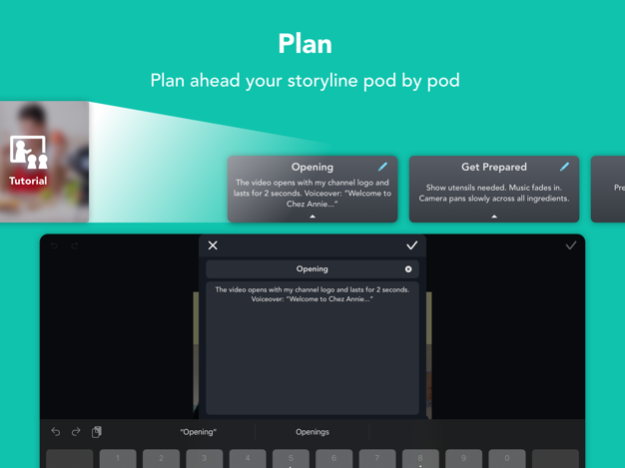

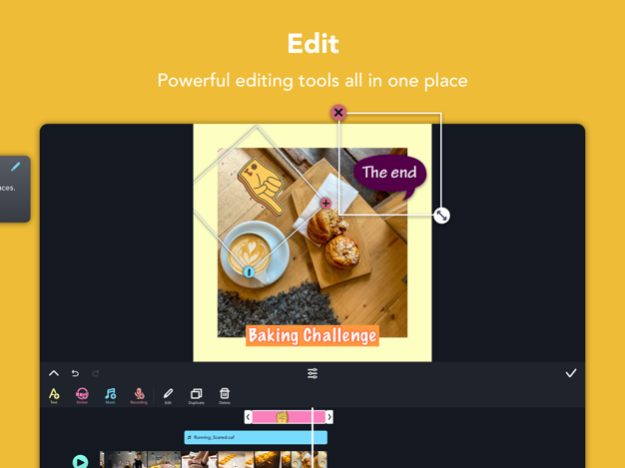
Create storyboard, make video content, and fill in the content into “Pods”. Write-on Video not only makes video editing fun and efficient, but also empowers you to organize your video production. Plan your video production with the app, and edit videos with its rich features, including captions, animated stickers, speed controller, and more. You can choose to export projects as videos or PDF storyboards. You are just one app away from creating videos like professional YouTubers.
FEATURE HIGHLIGHTS
Plan Your Video
Create your video with the preset or customized video outline
Add a description to each scene
Export video outline to PDF
Prepare the Materials
Import music from iTunes or other iOS devices
Import materials from other apps in your iPad/iPhone
Import materials from Kdan Cloud
Import clips and images straight from your device
Supports sound recording and voice over
Edit Your Video with...
Stickers
Captions and subtitles
Animated stickers
Animated titles
Customized animated stickers
Auto-captions
Filters
Transition effects
Video speed controller
Share Your Video on Social Media
Add running commentary to a video and share it with the team
Export videos in different aspect ratios
Export SD, HD, Full HD, and OHD videos
Export directly to Youtube, Instagram, Facebook, Twitter, Yoki and TikTok
SUBSCRIPTION OPTIONS
• Creativity 365 (free trial available) + 1 TB Kdan Cloud storage
Annual subscription: billed annually at $59.99/year after 7-day trial ends
Quarterly subscription: billed quarterly at $19.99/quarter after 3-day trial ends
Monthly subscription: billed monthly at $9.99/monthly after 3-day trial ends
• Kdan Cloud 500GB
Annual subscription: billed annually at $9.99/ year
Monthly subscription: billed monthly at $3.99/ month
Any unused portion of a free trial period, if offered, will be forfeited when the user purchases a subscription to that publication, where applicable. Subscriptions will be charged through your iTunes account at the confirmation of purchase. Your subscriptions will automatically renew unless canceled at least 24 hours before the end of the current subscription period. Your iTunes account will be charged for renewal within 24-hour prior to the end of the current period, for the same duration and at the current subscription price. You may manage your subscriptions in your iTunes Account Settings after purchase. No cancellation of the current subscription is allowed during an active subscription period.
Terms of service: https://cloud.kdanmobile.com/terms_of_service
Privacy Policy: https://cloud.kdanmobile.com/privacy_policy
CAN WE GIVE YOU A HAND?
Got a question? Contact us at helpdesk@kdanmobilesupport.zendesk.com or check out http://support.kdanmobile.com
Sep 28, 2022
Version 5.5.1
We care about your experience and privacy. This update allows you to manage your account and gives you more control of the personal data you've shared.
About Write-on Video Ultimate
The company that develops Write-on Video Ultimate is Kdan Mobile Software LTD. The latest version released by its developer is 5.5.1.
To install Write-on Video Ultimate on your iOS device, just click the green Continue To App button above to start the installation process. The app is listed on our website since 2022-09-28 and was downloaded 0 times. We have already checked if the download link is safe, however for your own protection we recommend that you scan the downloaded app with your antivirus. Your antivirus may detect the Write-on Video Ultimate as malware if the download link is broken.
How to install Write-on Video Ultimate on your iOS device:
- Click on the Continue To App button on our website. This will redirect you to the App Store.
- Once the Write-on Video Ultimate is shown in the iTunes listing of your iOS device, you can start its download and installation. Tap on the GET button to the right of the app to start downloading it.
- If you are not logged-in the iOS appstore app, you'll be prompted for your your Apple ID and/or password.
- After Write-on Video Ultimate is downloaded, you'll see an INSTALL button to the right. Tap on it to start the actual installation of the iOS app.
- Once installation is finished you can tap on the OPEN button to start it. Its icon will also be added to your device home screen.
Program Details
System requirements
Download information
Pricing
Version History
version 5.5.1
posted on 2022-09-28
Sep 28, 2022
Version 5.5.1
We care about your experience and privacy. This update allows you to manage your account and gives you more control of the personal data you've shared.
version 5.5
posted on 2021-11-08
Nov 8, 2021 Version 5.5
"Black Friday Deal will be unlocked on Nov 15! Download the update to get the latest notification.
Other updates,
- Interface optimized
- Minor bug fixes"
Disclaimer
Official App Store Link
We do not host Write-on Video Ultimate on our servers. We did not scan it for viruses, adware, spyware or other type of malware. This app is hosted by Apple and passed their terms and conditions to be listed there. We recommend caution when installing it.
The App Store link for Write-on Video Ultimate is provided to you by apps112.com without any warranties, representations or guarantees of any kind, so access it at your own risk.
If you have questions regarding this particular app contact the publisher directly. For questions about the functionalities of apps112.com contact us.
